思路分享:解决Codeql本地使用时编译不成功问题

写在前面的话 CodeQL很强,基础配置啥的网上教程一堆,可以自行去搜索一下。本文主要是记录本地环境执行不成功的情况下,如何利用现有的渠道是执行我们的规则。本文仅仅是一种思路,欢迎补充内容 这里使用的就是Github自带的actions去实现。主要是为了解决如:codeql如何扫描Android项目中因为环境搭建失败导致无法继续使用codeql的情况。 一般操作流程 举个例子来进行说明吧 1、在G
写在前面的话
CodeQL很强,基础配置啥的网上教程一堆,可以自行去搜索一下。本文主要是记录本地环境执行不成功的情况下,如何利用现有的渠道是执行我们的规则。本文仅仅是一种思路,欢迎补充内容
这里使用的就是Github自带的actions去实现。主要是为了解决如:codeql如何扫描Android项目中因为环境搭建失败导致无法继续使用codeql的情况。
一般操作流程
举个例子来进行说明吧
1、在Github上找一个自己想要扫描的项目,并Fork下来


点击configure进入,相关功能,会出现如下图所示界面,我们现在使用默认的配置文件去扫描项目代码。直接点击start commit,然后就是下一步、下一步的操作。


有过actions使用经验的同学,此时已经点到相关功能去观察扫描流程的执行情况了。

当扫描执行结束后,漏洞结果会在如下指示的地方显示。

使用自己的规则
在将要扫描的项目目录中创建漏洞规则和规则必要文件,偷懒的选择了codeql执行配置文件所在的目录,在此处创建相关文件。
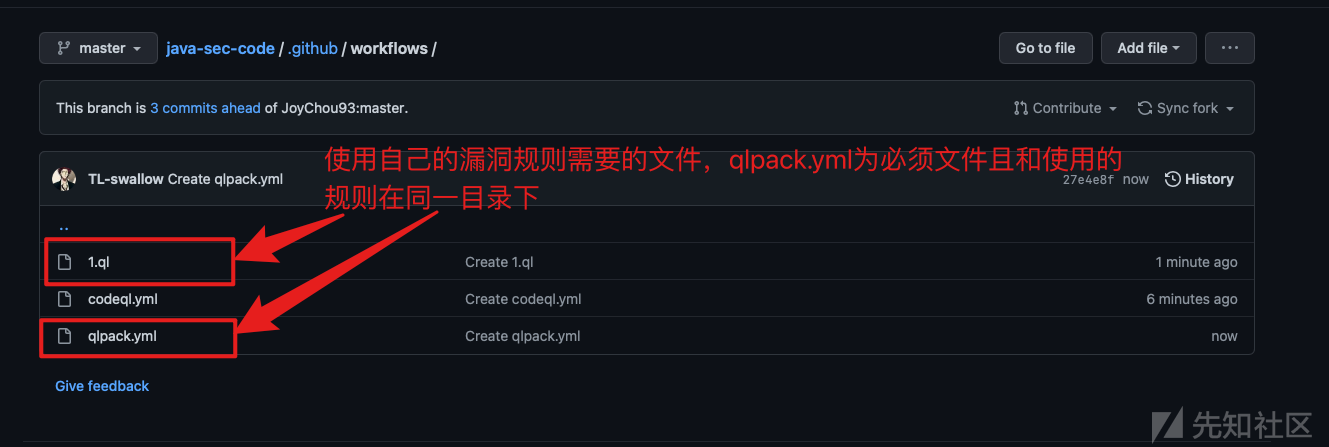
演示我们这里拉一下官方xss的规则,改一下名字。

qlpack.yml文件的内容,可参考官方或其他大佬项目中的内容进行编写,这个内容相信大家在接触codeql初期就已经了解过了。接下来,编辑codeql.yml。

在配置文件中,初级阶段使用下(仅仅执行自己的漏洞规则)修改的地方不多。步骤Initialize Code修改前的规则内容:

修改后的内容为:(注意添加规则前有个+号,官方在当前步骤的注释里附上了相关链接,用以介绍如何加载自定义规则)

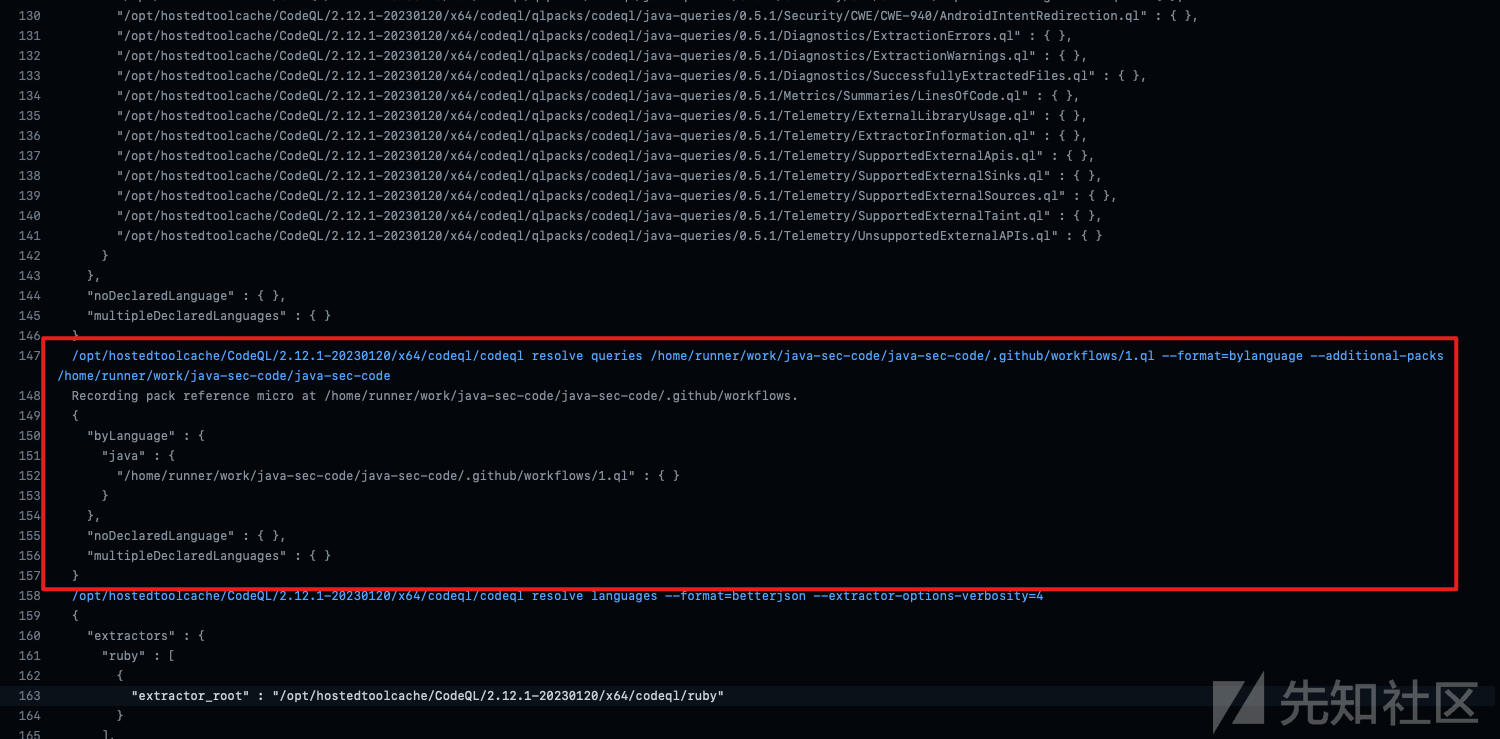
当文件都修改完成后,和一般步骤一样,保存下一步,进入actions功能,查看初始化日志,确认我们的规则是否被加载。

发现了自己的规则被加载。如果遇到与qlpack.yml 文件相关的报错,去规则目录下按官网实例添加,大概率可以解决。
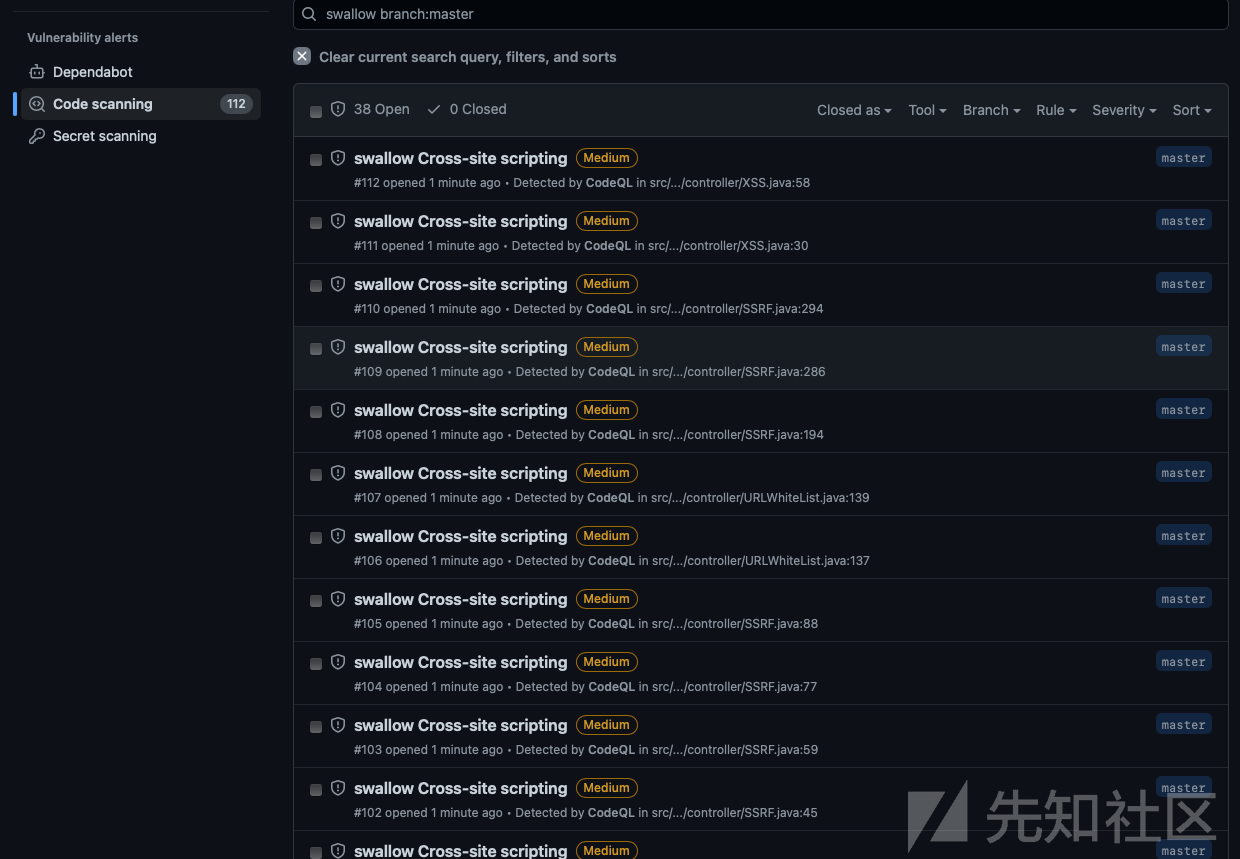
回到一般操作查看结果地方查看我们规则的结果,发现规则的结果已经过来了。
获取Github编译成功的结果,本地使用
Github 要使用的包地址https://github.com/actions/upload-artifact.git
前面的步骤和本文《使用自己规则》一样,只用修改创建Actions的codeql.yml配置文件,个人配置内容如下:
# For most projects, this workflow file will not need changing; you simply need
# to commit it to your repository.
#
# You may wish to alter this file to override the set of languages analyzed,
# or to provide custom queries or build logic.
#
# ******** NOTE ********
# We have attempted to detect the languages in your repository. Please check
# the `language` matrix defined below to confirm you have the correct set of
# supported CodeQL languages.
#
name: "CodeQL"

on:
  push:
    branches: [ "master" ]
  pull_request:
    # The branches below must be a subset of the branches above
    branches: [ "master" ]
  schedule:
    - cron: '26 22 * * 6'

jobs:
  analyze:
    name: Analyze
    runs-on: ubuntu-latest
    permissions:
      actions: read
      contents: read
      security-events: write

    strategy:
      fail-fast: false
      matrix:
        language: [ 'java' ]
        # CodeQL supports [ 'cpp', 'csharp', 'go', 'java', 'javascript', 'python', 'ruby' ]
        # Use only 'java' to analyze code written in Java, Kotlin or both
        # Use only 'javascript' to analyze code written in JavaScript, TypeScript or both
        # Learn more about CodeQL language support at https://aka.ms/codeql-docs/language-support

    steps:
    - name: Checkout repository
      uses: actions/checkout@v3

    # Initializes the CodeQL tools for scanning.
    - name: Initialize CodeQL
      uses: github/codeql-action/init@v2
      with:
        languages: ${{ matrix.language }}
        # If you wish to specify custom queries, you can do so here or in a config file.
        # By default, queries listed here will override any specified in a config file.
        # Prefix the list here with "+" to use these queries and those in the config file.

        # Details on CodeQL's query packs refer to : https://docs.github.com/en/code-security/code-scanning/automatically-scanning-your-code-for-vulnerabilities-and-errors/configuring-code-scanning#using-queries-in-ql-packs
        # queries: security-extended,security-and-quality


    # Autobuild attempts to build any compiled languages  (C/C++, C#, Go, or Java).
    # If this step fails, then you should remove it and run the build manually (see below)
    - name: Autobuild
      uses: github/codeql-action/autobuild@v2

    # Command-line programs to run using the OS shell.
    #


特殊字符或者表情,导致内容截断了, ℹ️